Human Missile controls
One hold to leave the pad. One look to pick the house.
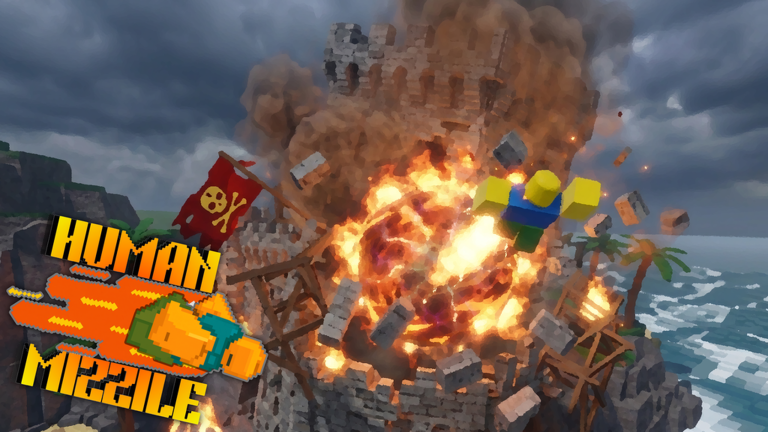
Print this in your head. Human Missile uses a short input map and a long list of ways to drop the hold. Official text is the source: hold to launch, move the camera to steer, impact at speed to explode. This cheatsheet is that map for three platforms.
Long form: how to launch and how to steer. Parent: tools hub. Sibling: upgrade planner.
Input map
| Action | PC | Mobile | Console |
|---|---|---|---|
| Launch | Hold mouse button | Hold boost control | Hold right trigger |
| Steer | Move camera / mouse look | Drag look region | Right stick look |
| Explode | High-speed impact | High-speed impact | High-speed impact |
| Upgrade | Open shop after a smash | Open shop after a smash | Open shop after a smash |
There is no official separate detonator. If you are hunting a ‘boom key’, you are hunting a different game.
PC checklist
- Click the Roblox window so the hold is not eaten by the browser.
- Use a mouse if the trackpad drops pressure.
- Frame the house, then hold. Do not hold, then search.
- Keep chat closed during takeoff.
Mobile checklist
- Landscape. Portrait stacks boost on top of look.
- Park one thumb on boost, the other on look.
- Collapse chat. A single tap cancels more launches than bad physics.
- Press the center of the boost control, not the rim.
Console checklist
- Hold RT through the clicky detent.
- Set look inversion the way your hands already expect.
- Disable extra paddles that also send RT.
- If the trigger feels digital, commit harder; a bounce off the detent is a tap.
Common ‘broken controls’ that are not bugs
You tapped. You launched into the floor because the camera was buried. You steered with the boost thumb and killed the hold. You unlocked the cursor to type. You blamed a missing ‘aim key’ that official text never promised.
If the hold truly does nothing after a publish, that is a regression—note the platform and tell Maddorith via official links. Then read patch notes to see if the file just moved.
Practice card
Ten launches, same heading, no shop. If eight of ten leave the pad clean, your controls are fine. Go pick an S-tier house from targets. If fewer than eight leave clean, stay on this page until the hold is boring.
This cheatsheet will gain a row if Maddorith adds a new input. It will not gain emoji. It will not gain a script bind. When you can launch without looking at the table, close it and keep the camera on brick. That is the only control that scores.
If you switch devices mid-week, reread only the row that changed. PC muscle memory will tap a phone. Phone muscle memory will click a mouse like a boost pad. Give yourself three warm-up holds on the new device before you care about score. The cheatsheet is a translator between hands, not a lore book. Three warm-up holds cost less than one angry shop purchase after a missed house.
Pocket card after the refresh
Hold mouse on PC, boost on mobile, right trigger on console. Camera steers everywhere. After 18 Aug 2026, if takeoff feels soft, confirm you are holding—not tapping—then open troubleshooting before you blame the studio.
Print this page mentally before you queue with friends on mixed devices. One wrong hold tip spreads faster than a fake code list.
Frequently Asked Questions
Quick answers to the most common Human Missile questions.
What are the Human Missile controls?
Hold mouse (PC), boost (mobile), or right trigger (console) to launch. Move the camera to steer. Explode by hitting at high speed.
Is there an aim button?
Official instructions steer with the camera. There is no separate lock-on key in the published how-to.
Why does mobile keep canceling my launch?
The boost hold is easy to drop when chat or look input overlaps. Use landscape and keep one thumb parked on boost.